
If you’re like me, you hate wasting supplies on a cut gone wrong.
The worst is when I’ve just loaded the wrong mat into the Cricut – so it cuts the design that’s supposed to be white, out of my last piece of teal paper!
Here’s how to make sure you know which mat will cut next.
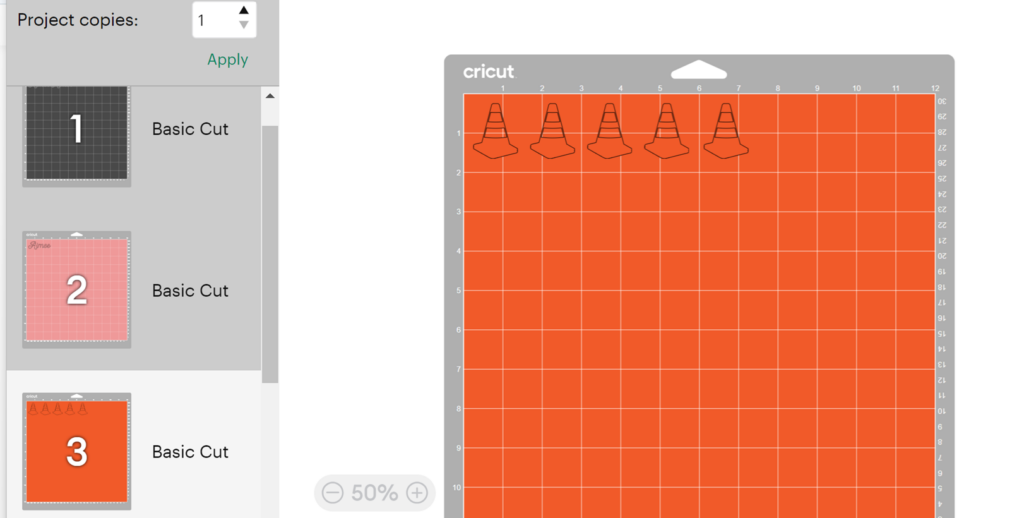
When you’re at this point in Design Space – where you can move items around on individual mats …
See all the mats lifted on the left? The one that will be cut next is the one “selected” with the white background. Not just “Mat 1″
So make sure that the mat you intend to cut is selected before clicking “Continue.”
Today’s Tip: Check the Mat Selection before cutting
- The selected mat will cut next, not just automatically start at the top with Mat 1
- Make sure the mat you intend to cut has been clicked and has the white background