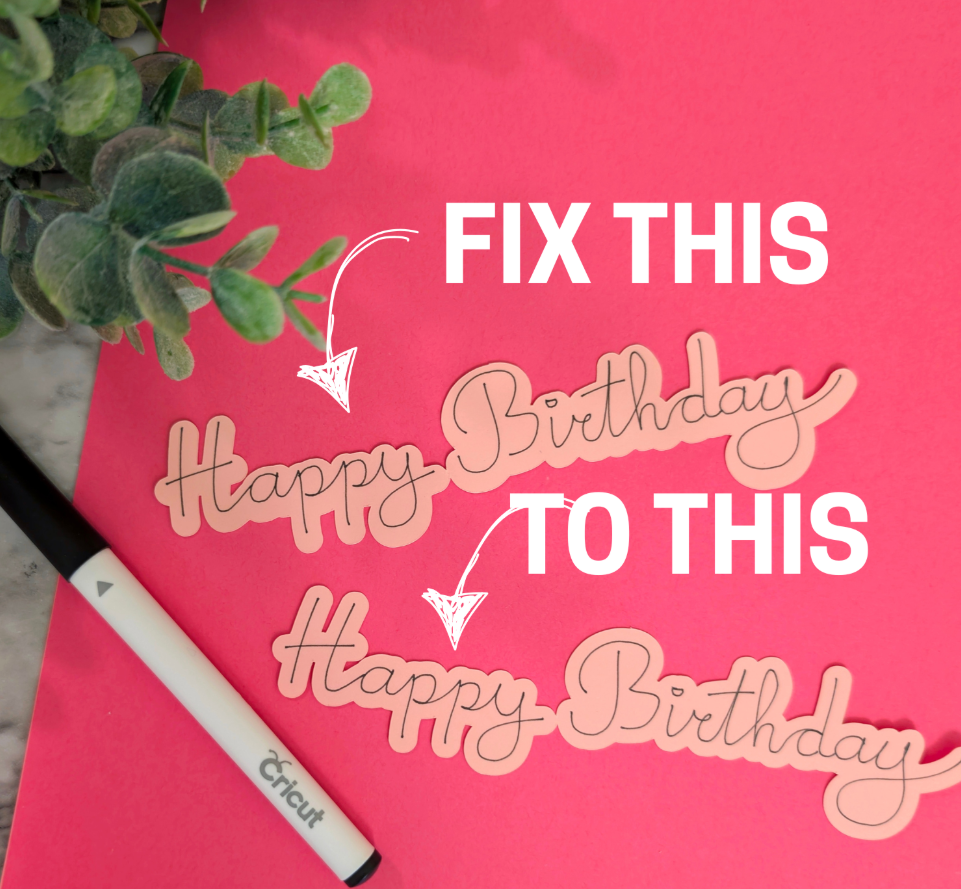
Have you had the problem where your score line of pen line doesn’t match up exactly where you wanted it?
Take this example – I drew Happy Birthday, and cut an offset, and it ended up very off-center, even though it was centered in Design Space
I discovered a fix for it, but it basically is figuring out much your machine is “off” then adjusting in Design Space before cutting.
You’ll make a rectangle in Design Space and attach a vertical and horizontal score line -then when you fold them you can see which direction those lines should shift to really be centered.
Then back in Design Space make a few more copies of it where the lines are nudged a little before attaching.
Fold the results again and make note of how much the lines need to move, then do that on your next pen or score project.
Since it’s a little confusing to explain, HERE’S A VIDEO
Today’s Tip: Calibrate Score Lines
- If your score and pen lines aren’t truly centered, make a test image to see which direction the lines are “off”
- Trial and error on some duplicates – move the lines with arrow clicks on your keyboard before attaching and record where they line up the best in the cut result